00 Getting Started
Your first ten minutes in the garage
You own a cloud company. It is one car garage. Here is what happens, when it happens, and what to do about it. Read it once before you start, or keep it open on a second screen.
01 Where you're starting
One wall cabinet. One ISP line. One bill you can't miss.
There is a workbench with a laptop, a wall cabinet, a fiber line drilled through the wall, and about twenty thousand dollars in the bank. Nobody on the internet knows you exist yet. That is the whole job for the next ten minutes: turn an empty garage into a working stack, get online, and sign your first paying customer without breaking anything.
- Cash
- $20,000. Your whole runway. Spend what you have, not what you want.
- Reputation
- Almost nothing. Customers trickle in slowly at first. That is normal, not a bug.
- On the wall
- A residential ONT, where your ISP fiber lands. Your one line is already lit. You cable to it, you don't buy it.
- Your foreman
- Mira. She talks to you over comms as things happen. She is usually telling you what to do next.
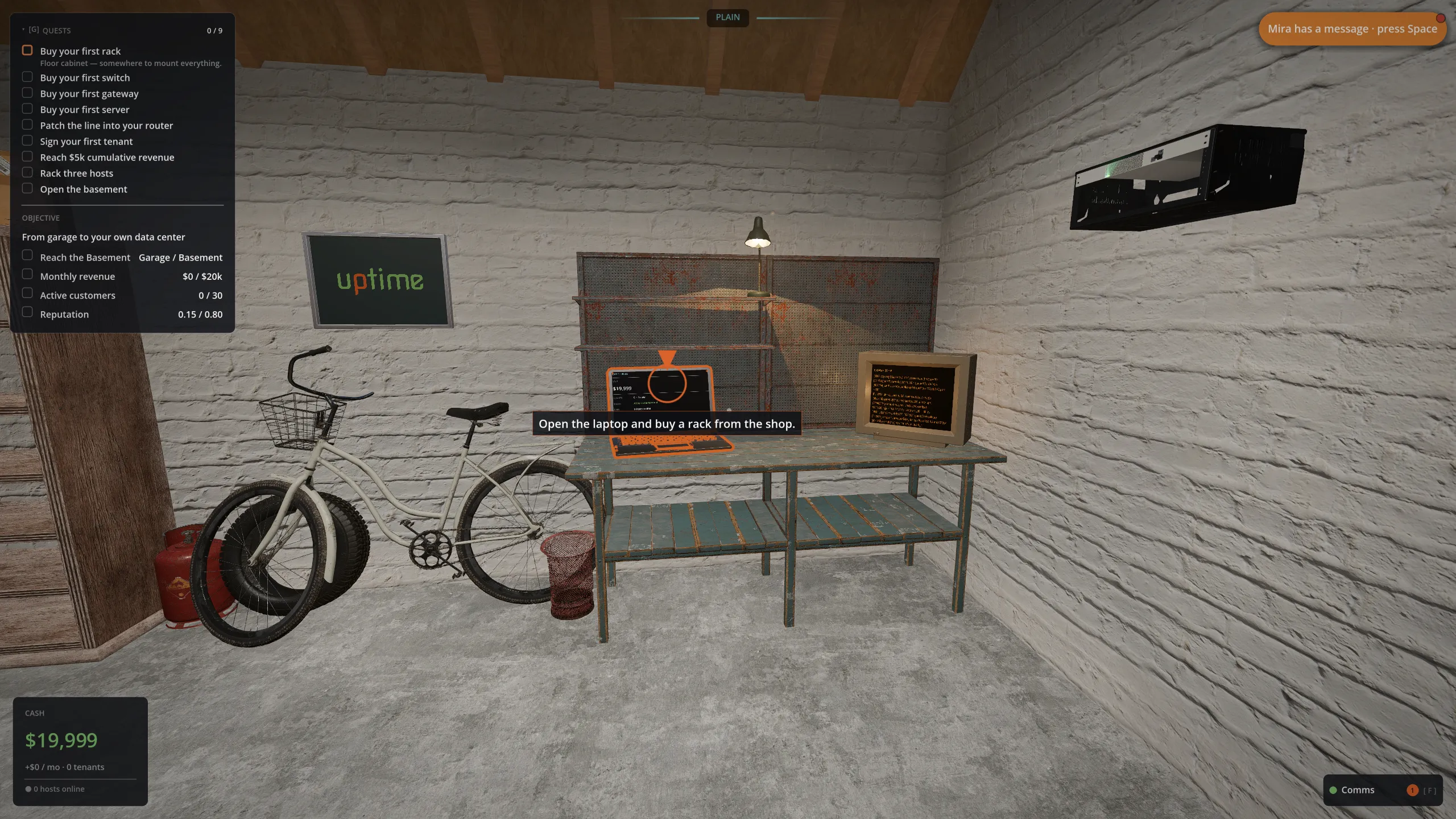
Mira Right. One wall cabinet. One ISP line. One bill we can't miss.
02 The controls you need right now
Walk up to the thing. Press E.
There is no menu key for most things. You walk up to the object and press E. Want to buy something? Walk to the laptop. Want to inspect a rack? Walk to the rack. The garage is small on purpose, so this feels natural fast.
Lost at any point? Press G for your current quest, or F to hear Mira's latest nudge.
03 Minute 0 to 1 · Open the ops console
The laptop is your whole back office.
Walk to the workbench and look at the laptop. Your crosshair picks up the prompt Open ops console. Press E.
This is where everything except your hands lives. Tabs across the top:
- Home
- The at-a-glance dashboard.
- Operations
- How your equipment is doing.
- Business
- Customers, money, prospects waiting to sign.
- Shop
- Where you buy hardware.
- Knowledge
- Cards explaining every concept as you meet it.
Open the Shop tab. Press E again, or Esc, to close the console and walk around.
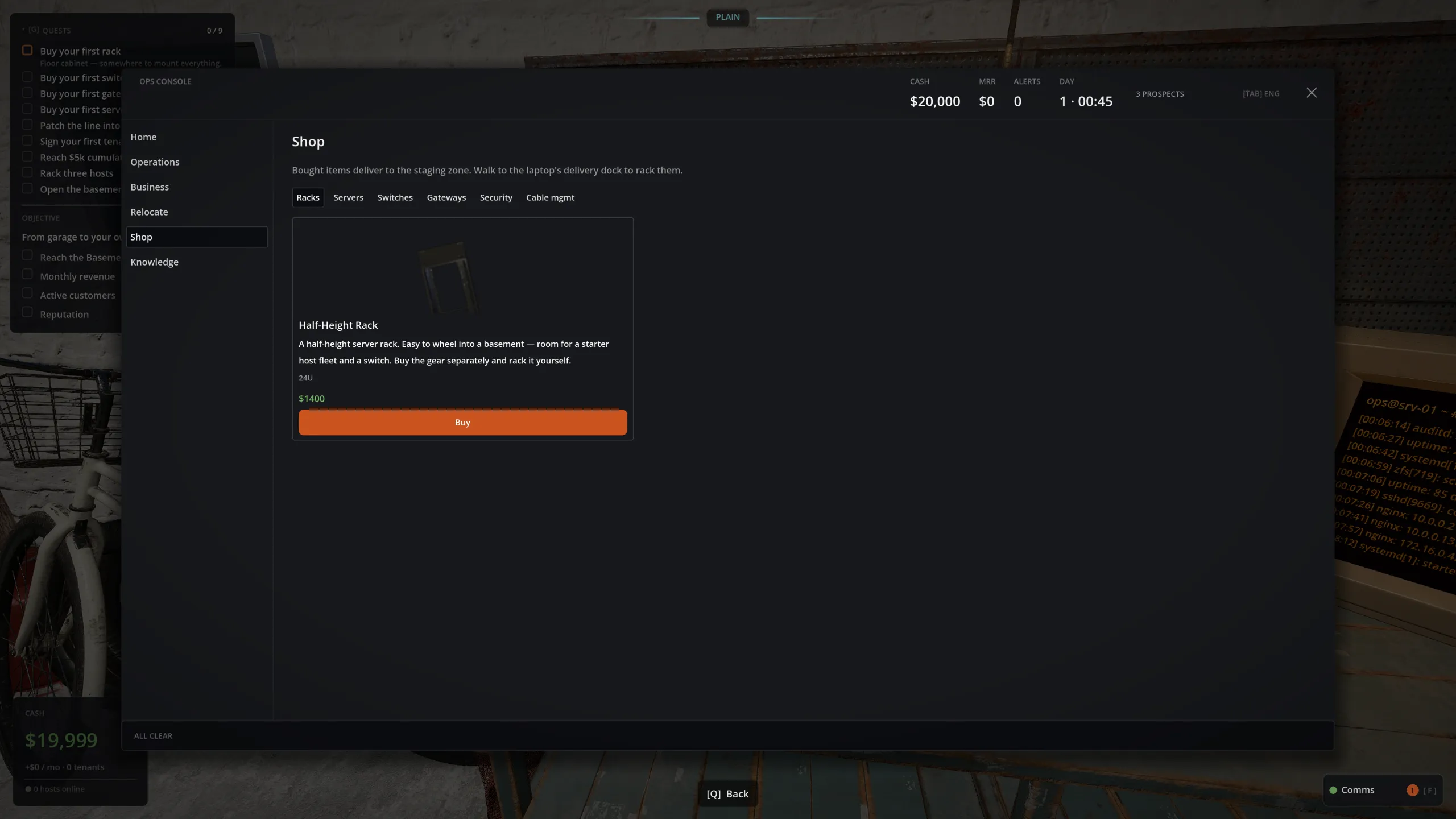
Mira That's the order screen. We spend what we have, not what we want.
04 Minute 1 to 4 · Buy the stack and rack it
Four pieces, in this order.
Buy these from the Shop tab. Your quest list (G) walks you through them one at a time.
- 1 A floor rack The wall cabinet by the EDD is small, so buy a floor cabinet for your switch and servers.
- 2 A switch Even one server needs a switch behind the router. A small one is plenty for now.
- 3 A router (gateway) The box that faces the internet. Buy the 4x1G + 2x10G class router; it mounts in the wall rack next to the EDD.
- 4 A host The actual server that runs customer workloads.
How buying works
When you buy something, it does not appear in your hands. It gets delivered. A cardboard box drops onto the shipping pallet, the yellow dashed outline on the floor. Walk to the box and press E to pick it up. It rides in front of you while you carry it.
- The floor rack: carry it to the open floor spot and set it down. The game shows you where it wants to go.
- The router: mount it in the wall rack next to the EDD, right where the line lands.
- The switch and host: carry each one to the floor rack, look at an empty slot, and press E to mount it.
Walk up, look, press E. Same motion for every piece of gear. Want to put something on the floor instead? Press Q.
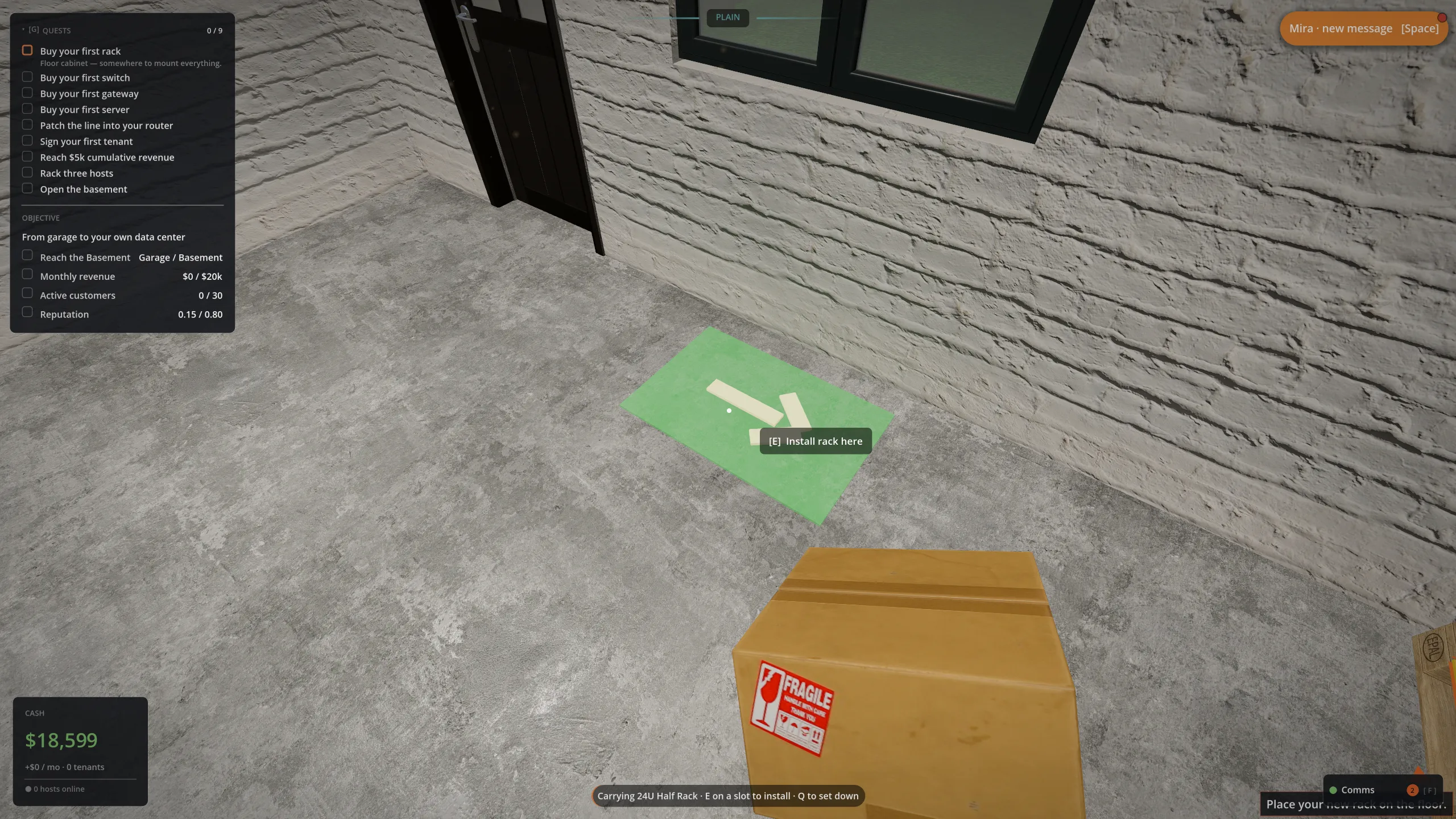
Mira Wow, a real rack. Do you see that? We have a real rack. Don't fill it all at once, though. We're proving the model, not winning a spec sheet.
05 Minute 4 to 6 · Cable it up and get online
Racked hardware does nothing until it's plugged in.
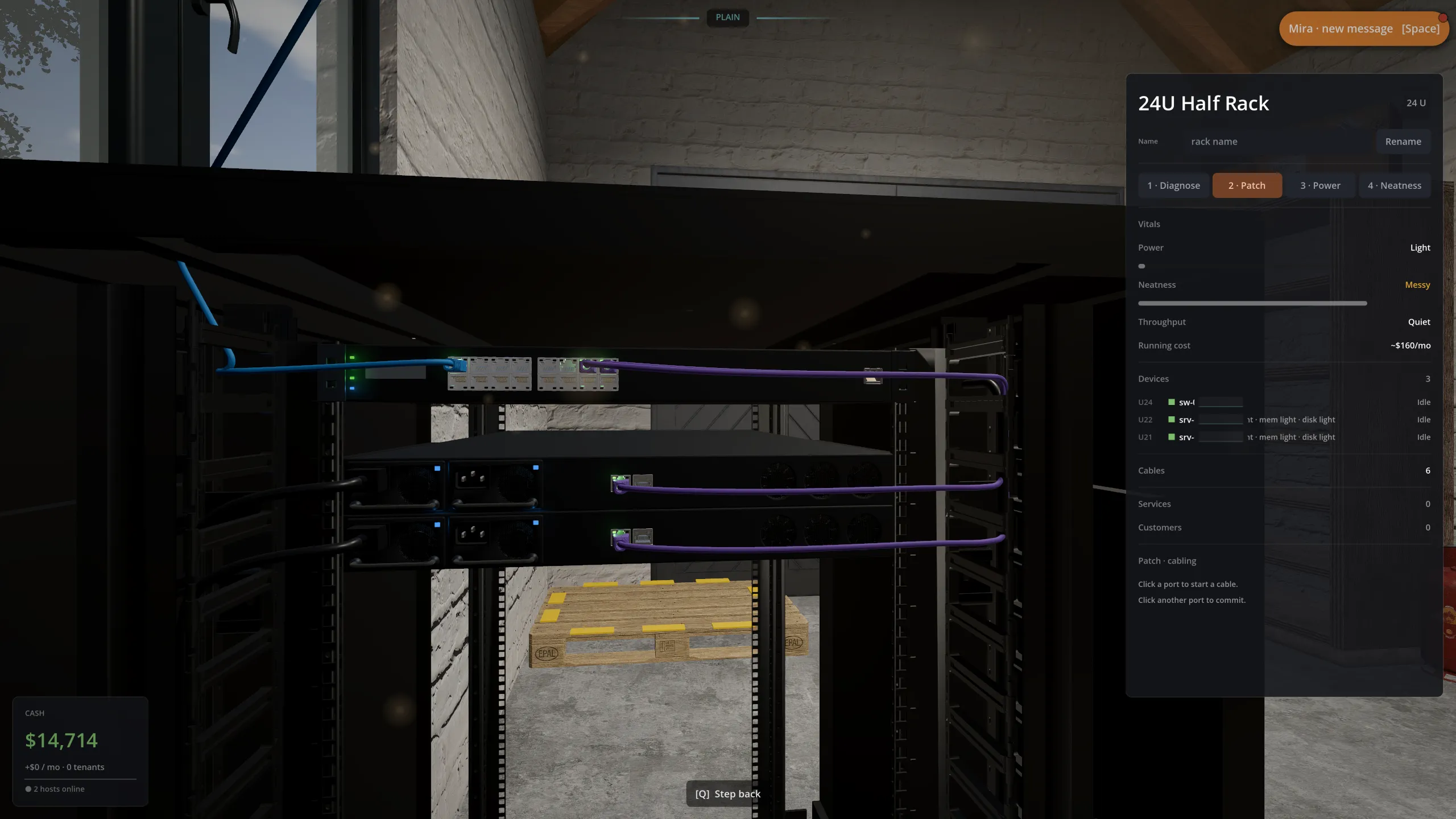
Power first (this is where people get stuck)
A racked device is dead until you plug it in. Every device needs its own power cord, the host, the switch and the router alike. Step up to the rack, look at the AC inlet on the rear of each device, and press E to run a cord to it. No cord, no power, no server, and nothing you cable up afterwards will come online.
If a device looks racked but its LEDs are dark, it has no power cord. That is the number one reason a new garage sits quiet.
Then the network
The signal path runs host → switch → router → wall ONT. Cabling is a walk, not a click:
- Look at the port you're starting from (say, the network jack on the host) and press E. You've picked up the end of a cable.
- Walk it toward where it's going. Press E to clip an anchor wherever the cable should hold a corner. Press Q to undo the last anchor.
- Look at the destination port and press E to seat the plug. That cable is now live.
- Repeat: switch to router, then router to the wall ONT.
Press R during a run to cycle the cable colour, so you can keep host lines, uplinks and management separate at a glance.
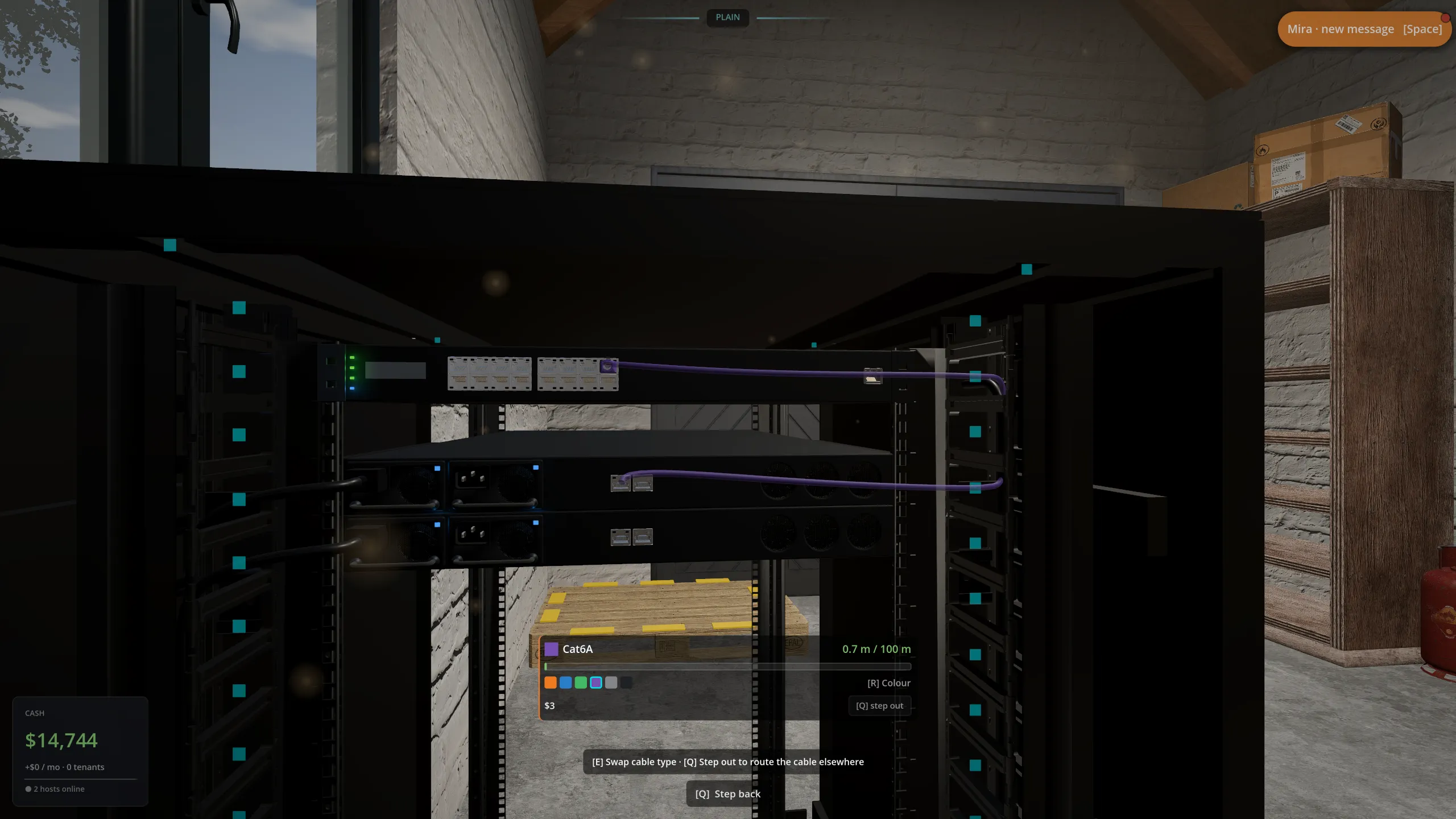
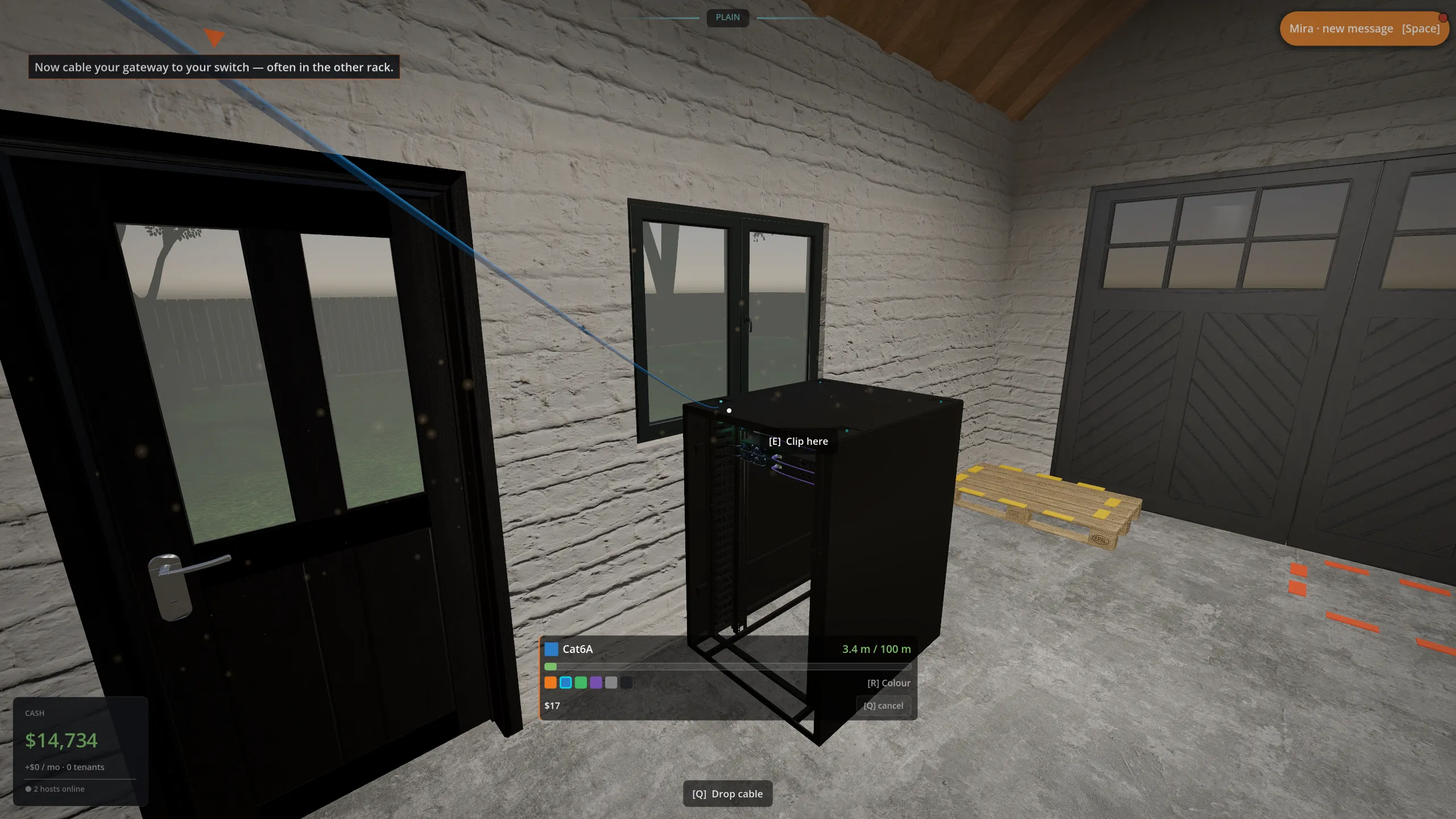
Mira Patch in. Click means seated. Good.
06 Minute 5 to 7 · Sign your first tenant
Someone in the queue is your first "someone".
Open the ops console and go to the Business tab. Two prospects are already waiting:
- Harold's Blog
- A hobbyist. Wants one small VM. Pays a $50 signup bonus. Start here, he's forgiving.
- Henderson Insurance
- A bootstrapped founder. Wants two bigger VMs. Pays $200 to sign.
Pick one and Accept. A Knowledge card explains virtual machines the first time: a VM is a slice of your physical server that the customer sees as their own computer. That's the whole product you sell in the garage. Just VMs, nothing fancier yet.
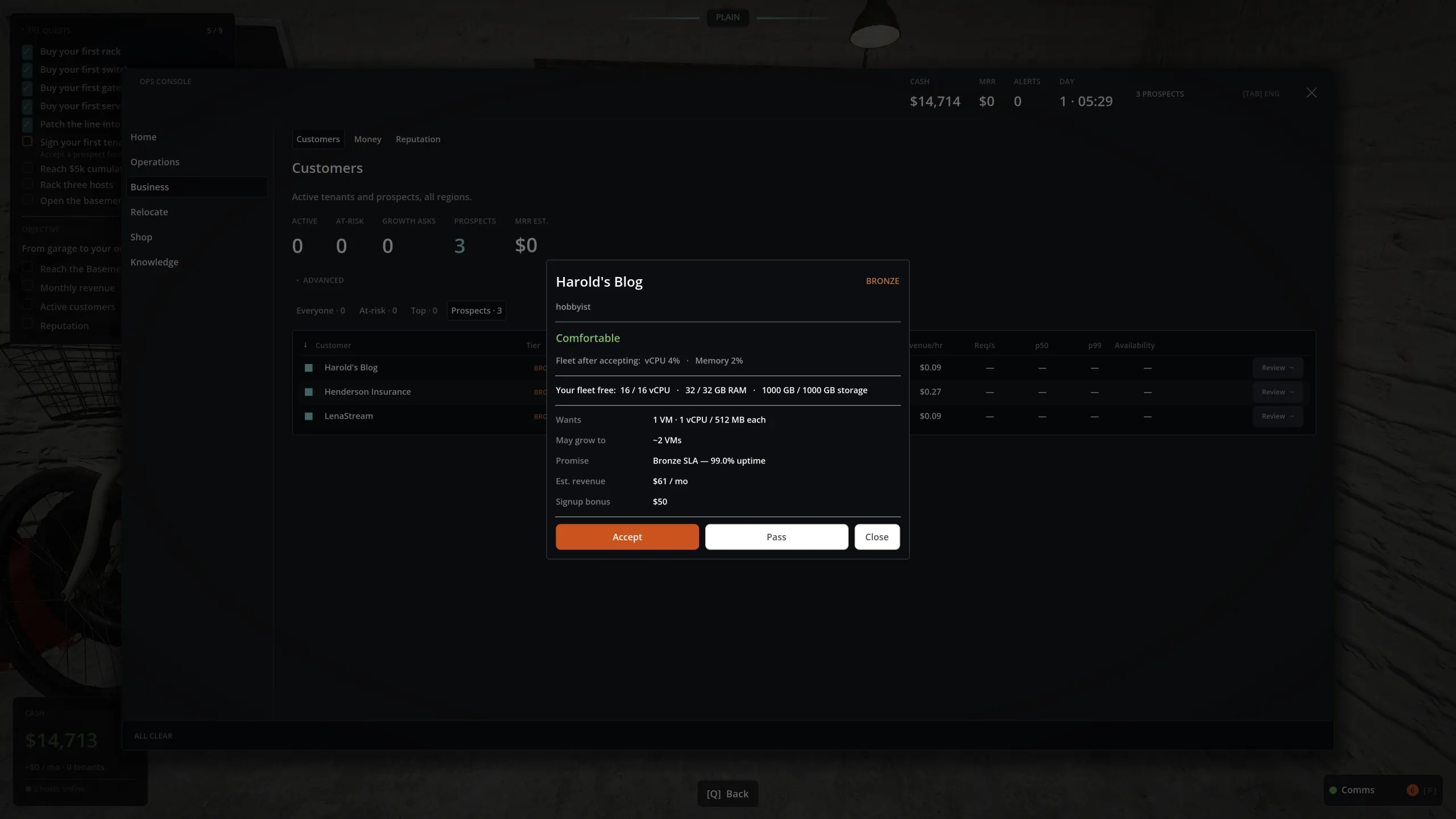
Mira We just signed our first one. Don't screw this up.
You are now a cloud provider. Someone is paying you to keep a computer running.
07 Minute 7 to 9 · Your first incident
Things break. You walk over. You fix them.
About three minutes after your first customer signs, something goes wrong on purpose. Mira spots a patch cable working itself loose, and thirty seconds later it drops. Whatever was downstream of it goes offline, and a Knowledge card explains what just happened.
What to do: walk to the dead cable, yank the loose end, and lay a fresh run the same way you cabled the first time. Get the path back and your customer comes back online. This is the whole game in miniature, and resolving the first one teaches you the reflex.
Mira Wait, one of the patches looks proud. I'd reseat it before something walks past and pulls it.
08 Running in the background
While you work, a few things tick along on their own.
- It stays quiet
- New prospects arrive slowly and the queue never holds more than three at once. Your reputation grows as you keep customers happy. "The internet doesn't know we exist yet."
- It gets warm
- The garage has almost no cooling. Heat, not money, becomes the first wall you hit. "The garage door's not a chiller."
- A different customer
- Your second tenant is a different shape of load, bursty not steady. Don't price them like the last one. "Three customers is a cliff."
- Don't oversell
- Promise more vCPU than your boxes physically have and, when everyone gets busy, they fight over the same cores. Ease off the Fleet CPU overcommit dial or add a host before it bites.
What "finishing the garage" actually means
Those ten minutes just get you standing. The chapter goal is to grow until you can move to the basement. To unlock it you need, at the same time:
- $20,000 a month in revenue (your run rate, not your bank balance), and
- 30 active customers.
No cash or reputation gate on leaving. It is purely about proving the business runs: enough tenants, paying enough, kept happy enough. Then you move to the basement, and the room, the heat and the customers all get bigger.
09 If nothing seems to be happening
Quick fixes.
- Lost?
- Press G for your current quest, or F for Mira's latest hint. Her hints escalate from a gentle nudge to a full walk-through if you dwell.
- Can't find what you bought?
- Look on the shipping pallet, the yellow dashed floor outline. Deliveries land there as boxes.
- Server won't serve?
- Check the whole chain has power cords and network cables: host to switch, switch to router, router to the wall ONT. One missing link means no path, and no path means no service.
- Reading the room
- Press Tab to flip between plain language and the engineer's telemetry view. Use whichever makes more sense to you.